Posts

Final Blog Entry

 During this week my practical project had came to an end. Throttle has definitely been a massive highlight for me during my time at university because i was given the creative freedom to create something that was personal to me, i was a lot more engaged in the project. Now the project is coming to an end i can see a lot of things that i would change, i am happy with this though because it's a whole learning process and i'm confident i can identify where to i need to improve. After finishing working on Throttle, looking back over all of the decisions and choices that i had made i can definitely see a lot of room for improvement.  One of the major things that i would improve is my research, i personally think that a lack of reference and research can make or break a game. i should have researched more  AI. i noted when playing through my game after completion that AI driving on the road with the player would push my project to the next level in terms of game design. ...

Casual Testing & Slight Adjustments

Image
With the project coming to a close i decided to take this week to tweak and fine tune where ever i could. One of the first things that i wanted to tweak was the overall speed of the vehicle, the reasoning behind this was when i have been doing my casual play testing people have mentioned the fact that the vehicle was a lot slower than what they had anticipated it be, specifically with it being a hover car. To increase the speed all i  needed to do was go back into my player controller and change the "add force variable" that i had created. The second thing that i had done is utilise the whole map and scatter pickups over the map i made sure that when i scattered the pickups that where they were places made sense, for example to boost picks were always available just before a long straight stretch of road so that the player doesn't loose control trying to boost around corners etc. As well as this i jumped back into particle effects this time for a effect...

Starting Polishing Stage

Image
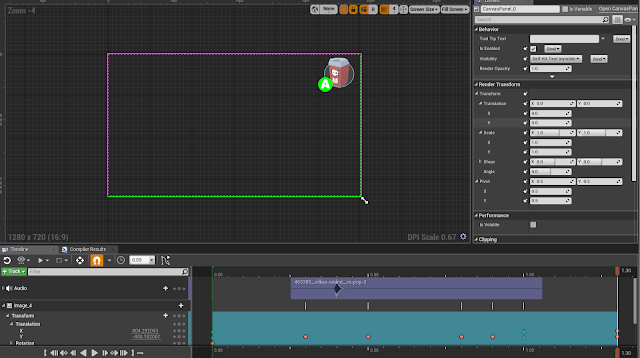
This week i started off where i left off this week and that was with HUD elements, i wanted to try and polish them up as much as i could. with my having my pickups in the game and working decided that for the boost i want a notification or item area on the screen so the player knows they have picked a boost up. I did this by creating UI elements in Photoshop like i did last week and then took them into engine so that i could animate them. When i took them into engine i then create a new HUD element for when the player overlaps with the boost pickup. I then started to animate the elements that i had made within the widget creator, i had animated it so that when the player overlaps with the pickup the item displays on the screen above the players head and then slides over to the top right of the screen out of the way. From there i have the A button flashing to notify the player that they have picked it up and they can use it. Here is an example below of how it looks on the screen: ...

HUD and Main Menu Polish Up

Image
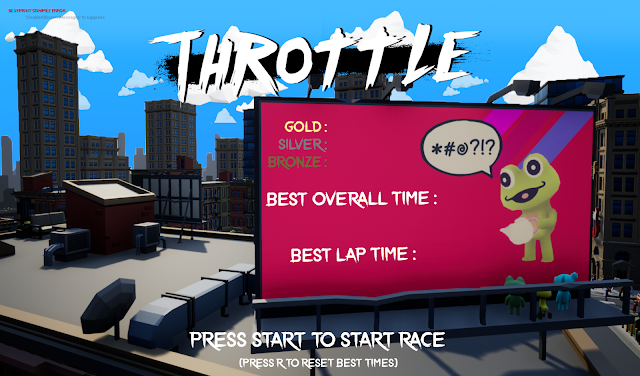
This week i had not got as much done as i would of liked to, i pretty much focused on polishing up the in game HUD and the main menu screen where all of the best times are displayed. I started with the main menu as i though it was going to take the least amount of time and would be the easiest to get out of the way. I first started off by taking a screenshot of a billboard that i wanted to use in game, from there i then took it into the engine and used it as a background for the menu. I then aligned everything up on the billboard so that it look like the billboard was displaying the best times. I think that this turned out well and you can see what it looks like below. I think that this looked better than my previous main menu where it was just in game with a slight blur over the top. From here i can add some transitions and a loading screen for when the player presses the start button. From there i wanted to update my in game HUD, i  knew i had already made some referen...

More Distractions and Bug Fixes

Image
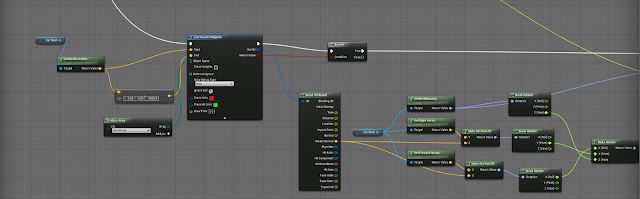
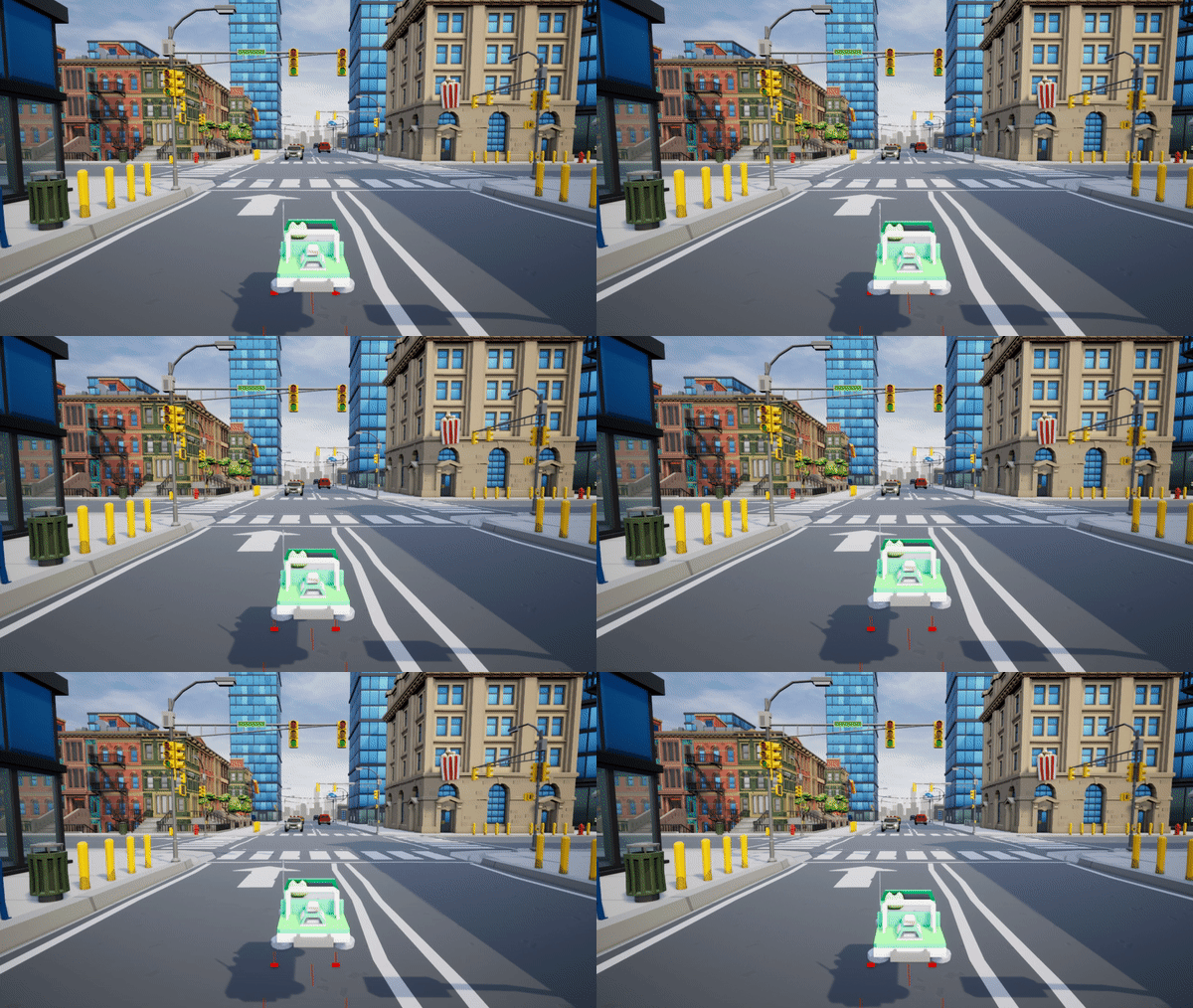
After play testing the myself i realised that there was a few bugs that i have been meaning to fix for quite a while and had just forgot about and left until i know i had time, At this point i know i am ahead of the schedule that i had made so i gave myself some time this week to try and fix some of the bugs that were annoying me and stopping me from doing a public play test. The first one was that when i was driving at the start i had noticed a problem where i was constantly spawning and the line traces that control the hover components were getting stuck under the floor meaning i could drive forwards and backwards but i couldn't turn without crashing into a static mesh and pushing myself out of the floor. This bug didn't happen all the time so it was still playable it was just something i was wanting to get fixed and out of the way as soon as possible. the way that i had tackled this problem was to make two scripts, the first one was to see if the player was stuck on ...

Map Design & More

Image
After getting a lot of my core mechanics sorted and working i have decided to try and use my map layout and actually replicate that within the engine using my modular kit. during my pre production stage i went through and created a few different potential map layouts that i might go with and these helped me quite a bit when it came to blocking things out. After a few different attempts this is the racing track that i decided to go ahead with, the reason for this is because it breaks my environment up into three different sections which i quite like and gives the map more diversity. These sections are broken up into, a main high street, a residential area and then lastly a industrial area.  When i first started blocking the level out i did the same thing as what i did a few weeks ago where i started adding barricades around the parts of the map that i dont want the player to go to, i enjoyed this part of the project a lot because of the modular kit that i had bought...

Pickups & Power-ups

Image
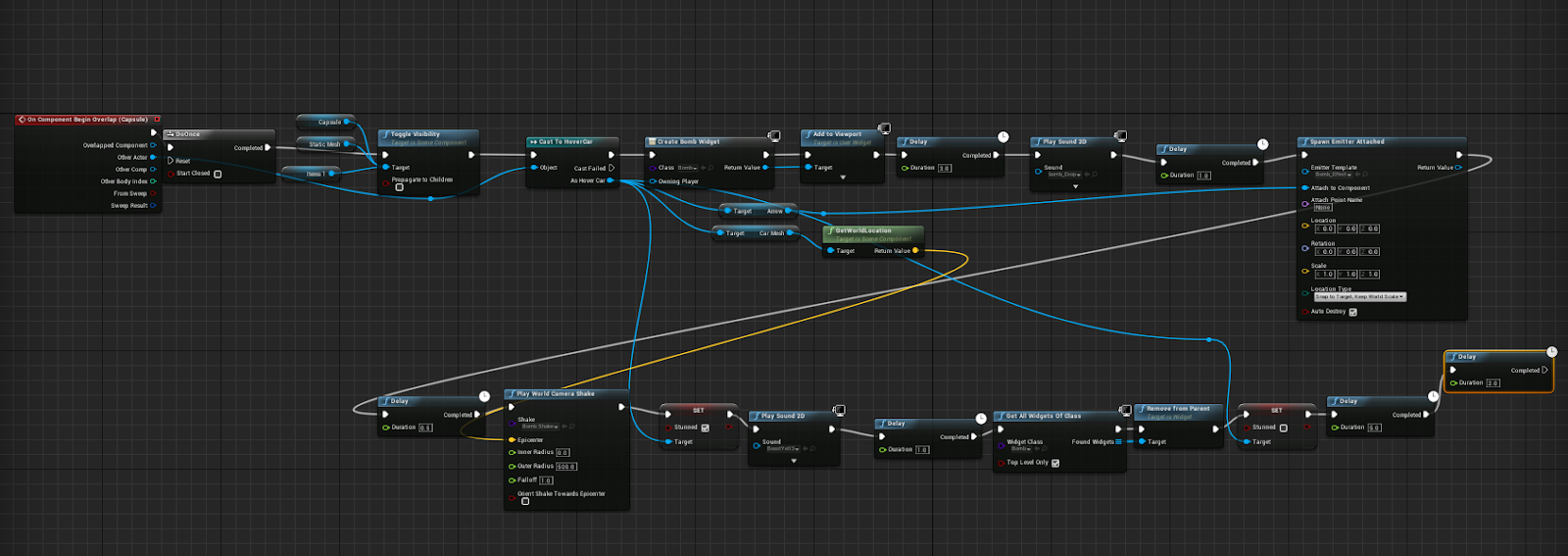
During this week i have been working on trying to reward the player for taking risks by giving them rewards. As well as that i have also been trying to try and create more distractions and things that are going to slow the player down. For these i started by looking into other games and seeing what type of things that they use, one of the fist games that i looked at was Mario kart and the shell system where once the player has fired one it would hunt down an enemy player and then stun them for a few seconds slowing them down and lowering their highest score. I wanted to try and replicate something like this within my game, i started by creating a script where when the player overlaps with the pickup a missile particle effect would play and target the player and from their disable their controls for a few seconds and stun them. As well as this before the bomb drops on the player i have created a widget so that there is a cross-hair that will search around the screen for the pla...

HUD And UI Set Up

Image
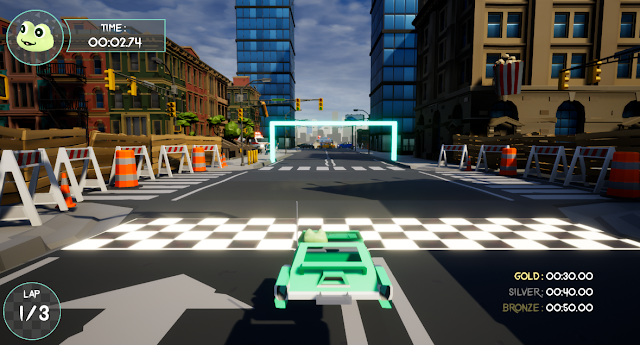
During this week I made sure that once I had the core foundations of my game in place that I created a very basic user interface so that I can give people that will be play testing a sense of what is going on and what they are doing, because I finished my timer and lap counter last week I have decided to show off these first within my interface. Every time the player goes around the map and completes a lap there is a little counter in the bottom left of the screen that will show the player what lap out of three that they are currently on. As well as this i have also created a main menu for the player that displays the gold, silver and bronze times as well as the best achieved time from players that have played the project. This is important because the player needs to know the times to beat before being dropped straight into the race and not giving them much chance to see their targets. This week i have also settled on a map route that i am going to try and replicate, wi...

Lap Timer and Checkpoint system

Image
This week i have been working more on the foundations of my game, i realised that i had been spending a lot of time working on my player controller and tweaking small changes instead of going ahead and making a win lose value for the game. My game play loop is to complete 3 laps within the gold, silver and bronze times and pass through all the checkpoints to register your progress. The first thing i had needed to get done was a checkpoint system that would continuously spawn the next checkpoint available to the player as well as turning off the previous checkpoint, i needed this system in the game as soon as possible because as soon as i get them in the player will be notified in the tracks direction and will feel more inclined to drive through the set path than to ignore them and drive round in the wrong direction. i have shown my blueprinting and scripting below to see how i have achieved this system. the checkpoints are all stored in an array within this blueprint this is going to...

Progress Review & First Obstacle

During this week i was primarily working on my progress review for my project, this is a short slide show of just a few pages that i will also be presenting , within this project review will be an explanation to what i have been working on for the past few weeks in detail and showing off blueprints and my scripting methods. One of the main sections to this presentation was an update on my project deliverable's this explains the changes that i have made to my deliverable since the proposal in the first week of the project. The main thing that i have changed since then has been the AI, i have decided to not go ahead with with enemy characters on the road as i feel like i wont have enough time to get the blueprints to a consistent polished standard like the rest of my project, as well as this i have worked on AI in the past but this has always been third and first person, and after doing research for my project i have found that racing AI is very difficult to get working in the fir...

Camera swing and other changes

Image
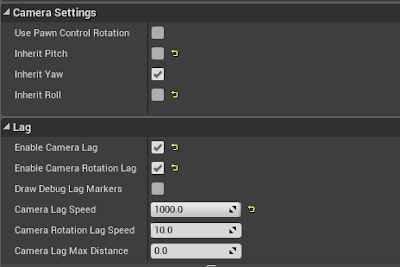
When i was in the research phase of my development a game that i looked into for inspiration was Wipe-out, This was mainly for the camera movement and swing as i think it works well with physics based vehicles and adds a nice amount of visual feedback to the player as well. I also feel like the camera game is very important to racing games as they need to be smooth and show off as much of the environment as they can so that the player knows where about they need to be driving next and have the ability to dodge obstacles as well. When setting the camera up i decided that the ideal way to achieve the camera movement that i wanted was to add the default camera to a spring arm, that way the camera would rotate around the player rather than world space. Once i had added the spring arm i made sure that i am only inheriting the Yaw camera input and no the pawn control rotation as well, I then added a small amount of camera lag as well and rotation lag as well as it adds a bit of flare to...

Traction Correction - Bug Fixing

Image
This week i decided to go ahead and test my vehicle controller to see if there was anything i could notice that would need fixing or changing slightly. Whilst i was testing my movement and going around corners and sharp turns with my vehicle i realised that it had little to no traction at all, this meant that when the vehicle was turning it would drift around the centre of gravity. Now this type of traction would work well for a drifting mechanic if i decided to go ahead with one in the future but for the mean time its an annoyance just for regular acceleration. I started by making a script that would recognise which direction the player was moving in such as left and right this was a critical script as i needed to know if there was too much force added to one side of the vehicle or not enough on the other. After testing this script it would give me -0 if i was moving left and +1 if i was moving right, this way i knew which side the problem occurred. From there i then added one...

Auto Orientate - Bug Fixing

Image
The first bug that i had ran into was that whenever the vehicle controller would crash into any other static object the front end of the car would rise up and allow the player to accelerate into the sky and this broke the game. This bug needed fixing as soon as possible and that's why i had set out to try and get it fixed by the end of the week. I tackled the problem by creating my own auto orientation blueprint that would send a ray-cast down from the player controller making sure that it is always going to cling to a surface making it harder to go off the road or bug out. As well as that just as an extra precaution i made another bit of scrip that would always auto orientate the players mesh back to its default rotation, this meant that when the player gets knocked by another player or crashes they will stabilise and go back to normal. After i had tried and tested the player controller i can see that it has fixed it for the time being, I will keep testing it for the tim...

Advancing Player Controller

Image
The first thing that i had done was created the boost as it is an essential in kart racers this was done the same way the regular acceleration was created but this time rather than setting force i added force, this would then take the maximum force of the vehicle and then add more on top to add a boost. I then added the camera rotation by moving my spring arms yaw on a clamp so that the spring arm would only rotate around the character 90 degrees both ways so that the player cant just spin the camera around in a circle. I then found an issue where the camera could spin even when the character was moving and it would effect the steering. I found a solution for this and it was fairly straight forward all i did was add a rotator to the spring arm only and this has seemed to fixed the issue. For the rest of the week i decided to add a few smaller things into the player controller that wouldn't effect the game play but that are in most other kart racers, these are things such ...

Getting Started

Image
This week i have got a good start into the project, the first thing that i had got done was my proposal for the project. I went through in detail about my project and how i am going to manage it. At the end of my proposal i had made an timeline explaining where i am meant to be week by week, I think that this is great because i now have something to follow to ensure that i am on track with the project and that i don't get behind or miss things out. Secondly i have made a start on my vehicle controller and am at the point now where i am happy with the way it works and feels. The work that i had done was first was created the physics hover component so that i could make an object hover in place and added two variables so that i could change the length of the hover and also the force and damping that they have as well. I then attached them to a new pawn controller that is going to be playable character so that the player would then hover in place. From the...

FYP - Introduction/Proposal

Image
This week i had started a new semester and also a new module at university, this project is an final year project where i can create a deliverable that showcases my ability, my strengths and also everything that i have learned during my time at university. I have created this blog to explain week by week what i have been working on for my final year project as well as showing videos, photos and general development on my project. The first task i was given was to create a proposal for my project, the reason for this was that i needed to get my project idea verified my a module tutor to make sure that the project i am wanting to work on is worth my time and will also show off all of my skills as a designer. There was a few ideas that i was wanting to go with when creating my proposal, the first one was going to be an endless runner for a mobile platform after a lot of thinking i decided against this because there wasn't too much mechanic wise to work on as a designer and that...